Is an Apple Watch worth it? Seven checks before you buy
An Apple Watch is worth it when it does a job you can name and need often: a silent alarm that does not wake your partner, a timer for the oven, a walk without your phone. For most everyday jobs like these, a refurbished Apple Watch from an older generation does the work as well as the newest one.
Extra sensors come with newer generations, and they pay off only when a job you can name needs them. So the sensible order is the job first and the generation second.
Seven checks settle it. Each one sets the watch against a real day instead of a spec sheet, and together they show which jobs every generation already does, which ones need a newer watch and which numbers deserve your trust. A refurbished Apple Watch is professionally checked, cleaned and reconditioned before it is sold. refurbed offers refurbished Apple Watches from several generations, so you can work through the checks before choosing one.
Check 1: is an Apple Watch worth it for alarms, timers and one message?
A wrist device earns much of its value by being within reach: a reminder, a timer, an appointment or one important message stays available when the phone is in a bag, charging elsewhere or out of reach on purpose.
A silent alarm: in a long thread, Apple Watch owners describe waking without disturbing a partner or children. Some replies say they sometimes sleep through the alarm, so try it for a few nights before you rely on it.
Fewer distractions: owners describe allowing notifications from only a few apps on their watch. In one widely discussed report about a Series 10, the writer says they value handling appointments and tasks without unlocking their phone and drifting into browsing. These are personal accounts, not research, but you can test the idea: move a small task from your phone to the watch, where there are fewer distractions.
These jobs need no extra sensors: an SE 3, an existing SE (2022) or a supported older Series already covers timers, reminders and the calendar, so paying more buys nothing here. The SE 3 is a strong place to start. Give it a week: put your next appointment and a timer on the watch face, and see whether small tasks become easier to start and finish.
Check 2: what 121 trials say about feedback from activity monitors
A large body of research backs one benefit of wrist devices: feedback can help people move more. A BMJ review of 121 randomised trials involving 16,743 participants found that feedback from physical activity monitors increased activity by an estimated average of about 1,235 steps a day and 48.5 minutes of moderate-to-vigorous activity a week.
Two limits matter: how certain the evidence was depended on what the trials measured, and the trials did not show that any particular Apple Watch produces those gains. The idea is simple: a visible goal and timely feedback can encourage you to move. Ask yourself whether trying to meet the day's goal makes you add another walk.
Serious training is not reserved for the Ultra either. Structured workouts, intervals, heart-rate zones, running metrics and multisport tracking are not unique to the Ultra line, and Apple's SE 3 specifications include running power and support for Bluetooth cycling accessories. Hardware matters more if you have specific requirements for battery life, controls or outdoor use.
For two weeks, see whether the daily goal changes what you do in the evening. The SE (2022) already shows you a daily goal and gives you timely feedback.
Check 3: is an Apple Watch worth it without your phone? What phone-free means
Phone-free is not one promise. What works depends on the watch and on what stays switched on at home.
A GPS watch on its own: it records workouts, plays audio you downloaded earlier and pays with Apple Pay, all without a cellular connection.
A cellular watch: it lets you leave the phone at home for a walk, a workout or a short errand and still take selected calls and receive selected messages. It needs a cellular plan and coverage. A cellular SE 3 in 44 mm or a cellular standard Series does the job, so the Ultra's built-in cellular is not needed for an ordinary phone-free walk. Each listing shows whether the watch is a GPS or GPS + Cellular model.
What still needs the phone: Apple says a cellular watch can receive SMS and MMS messages and third-party push notifications only if the paired iPhone is switched on and online somewhere. A phone left switched on at home is enough; a phone with a dead battery is not.
Calls on other watches: Garmin says the Fenix 8 Pro can make standalone voice calls with other compatible watch users or Garmin Messenger users, but these are not ordinary calls to a phone number.
For anyone whose phone turns a quick check into a browsing session, leaving it behind can change the day, as long as the notification list stays short. For one outing, leave your phone at home and try using the watch for the calls, messages, audio and payments you would miss without it.
Check 4: is an Apple Watch worth it for sleep? Patterns, not a verdict
A watch helps most when it shows a pattern: bedtimes that drift, short nights, a gap between workdays and weekends, or a change that follows one habit. Those patterns remain useful even when sleep-stage estimates are uncertain.
Compare similar nights. Change one habit, write down the circumstances and compare several broadly similar nights instead of reading one dramatic graph. Garmin's documentation lists alcohol among the factors that affect its overnight readings, and Garmin owners describe cutting back on alcohol after seeing their readings change.
Rate the morning first. Sleep clinicians describe orthosomnia, a preoccupation with ideal sleep that tracker readings can encourage, in case reports of people who trusted device estimates despite their limits. It is a documented possibility, not an inevitable result of wearing a watch. Note how rested you feel before you open the app. If the app's score keeps making you doubt how rested you feel, review weekly patterns instead.
Wear it overnight. The watch records your sleep only if you wear it overnight and keep it charged. Wrist-temperature sensing, which the SE 3 and the Series 8 or later offer, needs several nights to build a baseline. Where the feature is available, Apple's sleep-apnea notification needs at least ten nights within a 30-day window and looks for signs of moderate-to-severe sleep apnea. A notification is a prompt to ask a clinician, never a diagnosis. If no notification arrives, that does not rule out sleep apnea. The SE 3, the Series 9 or later and the Ultra 2 or later support the notification, subject to eligibility; the SE (2022) does not. Our health features comparison explains what the watch measures for each notification.
A lighter SE or Series is easiest to wear overnight, and an Ultra suits someone who forgets to charge. Over three weeks, compare your morning rating with what the app reports.
Check 5: which Apple Watch numbers to trust
A watch records many numbers, and they do not deserve equal trust.
Heart-rate readings fare better than calorie estimates. A 2026 review of 82 Apple Watch validation studies found that heart-rate readings generally agreed with reference readings, but estimates of calories burned (energy expenditure) often had large, inconsistent errors. The watches were less reliable at identifying sleep stages than at telling whether someone was asleep or awake. The review covers evidence up to September 2025, so it cannot confirm the accuracy of the newest generation's redesigned sensing.
One input can feed several scores. DC Rainmaker's examination of Garmin's sleep system shows that sleep data affects Training Readiness, recovery time and suggested workouts. That means five worrying scores could all stem from one doubtful input. Check the sleep or heart-rate record behind a score first.
A stress score is not stress. In a three-month study of 781 students wearing Garmin Vivosmart 4 watches, the watches' sleep readings lined up with the students' own sleep reports in a meaningful way. For most students, the watches' stress readings had little or no relation to what they reported about their stress. A watch senses physical arousal. It cannot tell an upsetting meeting from an exciting reunion.
Optical sensors have limits. Garmin says cold weather, gripping handlebars, weightlifting, rowing and bending your wrist can interfere with optical heart-rate readings. It also describes cadence lock, when the heart-rate reading follows the rhythm of your steps as you run. A watch that is fine for steady running can disappoint during lifting or intervals. Before you buy a pricier watch, adjust how the watch fits or where it sits on your wrist, or try a chest strap.
Your wrist can affect how the watch works. Apple says some tattoos can interfere with wrist detection, and that interference can make the watch lock unexpectedly, hide notifications or interrupt workouts. If you turn wrist detection off, Apple says you lose features including automatic Emergency SOS after fall detection, background heart-rate tracking and sleep tracking. Try the watch on the wrist where you plan to wear it.
Before you buy a watch for a particular measurement, ask whether anyone has checked how accurate it is in conditions like yours.
Check 6: an Apple Watch for a parent or a teenager
Buying a watch for someone else comes with a catch the spec sheet won't mention: how you set it up determines which features work.
A relative without an iPhone. Apple's family setup, now called Apple Watch For Your Kids, is built for children but also covers family members without an iPhone of their own, such as a parent or a teenager. In that mode, Apple says ECG, irregular-rhythm notifications, Medications, Sleep and Blood Oxygen are among the unavailable features. Fall detection remains available if the wearer meets its age requirement, and high and low heart-rate notifications remain available. In owner discussions, some buyers say they learned about these limits after buying a watch for an elderly parent. If you're buying for a particular health feature, confirm the setup method first.
Hands that struggle with a touchscreen. AssistiveTouch lets the wearer control a compatible Apple Watch with hand gestures: they can move between on-screen options, activate them and open an action menu without touching the screen. Apple says AssistiveTouch works on every SE generation and on Series 4 and later models, so it is not limited to the newest models. Let the wearer try it, because gesture recognition, fit and readability vary.
A safety net only works if you wear it. The SE (2022) and the SE 3 already offer fall detection and Emergency SOS when each feature's conditions for use are met. Treat that as an extra layer: the watch may miss a fall, and it needs a connection to call for help. Automatic fall detection cannot help when the watch is not worn or has no charge.
Buying a watch as a gift around Black Friday? The rule stays the same: choose the setup mode first, then the model.
Check 7: what you gain by moving up the Apple Watch range
A more expensive Apple Watch should solve a specific problem for you, not just give you a longer list of features. Name the limit first.
Battery margin. Apple quotes up to 18 hours of normal use for the SE 3 and the Series 10, up to 24 hours for the Series 11, up to 36 for the Ultra 2 and up to 42 for the Ultra 3. In Wareable's side-by-side test, the Ultra 2 and Ultra 3 showed little difference in battery life, even though Apple's rating rose from 36 to 42 hours. Wareable attributes part of that rise to a newer test protocol that includes six hours of sleep tracking, which uses little power. Apple's Low Power Mode also turns off background heart-rate measurement, so using it for more hours means losing that monitoring. Compare test conditions, not headline hours.
Comfort. According to the listings, the Series 10 case is 9.7 mm thick, compared with 10.7 mm for the Series 9. The 42 mm Series 10 and Series 11 weigh 30 g each, compared with 61 g for the Ultra 2 and 62 g for the Ultra 3. Try one on before you pay for extra battery life in a watch you would take off at night.
Sensing. Apple says its newest models, the Series 12 and the Ultra 4, take background heart-rate readings every five seconds and heart-rate variability readings more frequently. They also have a Readiness app, which needs at least seven nights of data before giving its first score. Earlier generations take those readings less often.
Satellite. The Ultra 3 introduced satellite communication in places where the service is available. That feature needs built-in hardware, so no app can add it to an older watch.
Software first. Before you step up to a pricier watch, check whether a different app could give you what you need. Owners often recommend WorkOutDoors for mapping, navigation and data export. Its developer says the app works offline, accepts imported routes and exports FIT, TCX and GPX files. None of these features is exclusive to an Ultra.
The check: write down the one thing a less expensive generation cannot do. If you cannot name it, you have no reason to pay more yet. The Series 11 adds the 24-hour rating, the Ultra 2 adds battery reserve and the Ultra 3 adds satellite communication.
Which refurbished Apple Watch suits which job
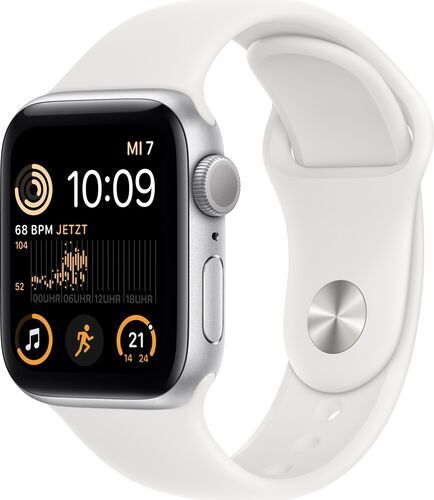
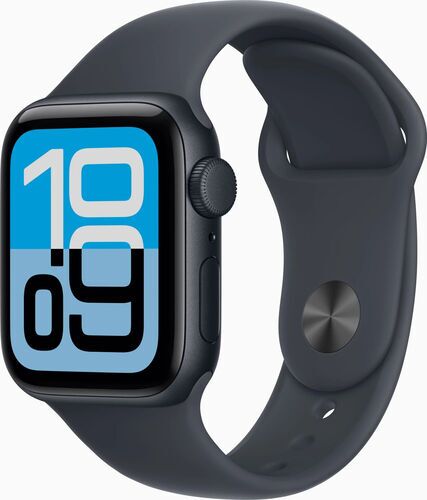
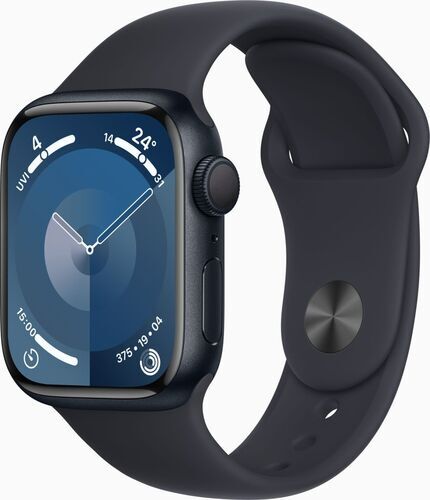
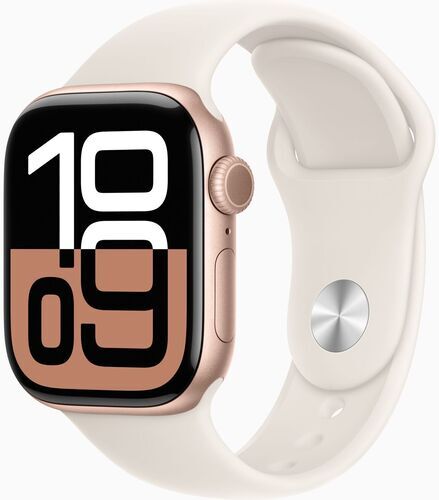
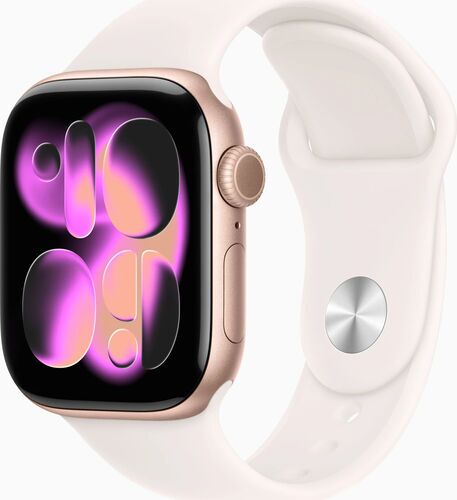
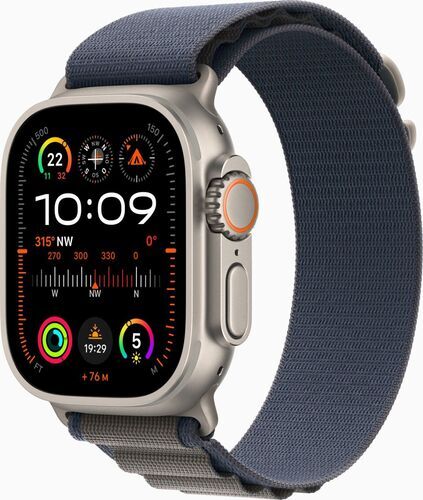
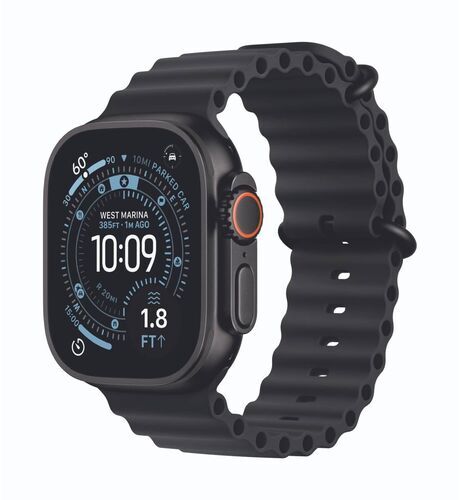
Before and after you buy: what refurbished testing covers, and a one-week trial
What refurbished testing covers. Sellers on refurbed test every device before it is sold, and the condition grade describes appearance only. Read the condition grades before you compare two listings.
What to ask about an older watch. Batteries age with use, so ask about the battery condition. Check which watchOS version the model can still run, then use the listing's compatibility requirement to see whether the watch will work with your iPhone.
The one-week trial. Pick three jobs that would make the watch worth owning, for example a silent wake-up alarm, two structured workouts and one phone-free outing. Use the band and the charging routine you plan to keep, then note whether each job got easier, how often the watch needed attention and whether wearing it overnight stayed comfortable. Temperature tracking needs several nights to build a baseline, and the apnea notification needs at least ten nights, so a one-week trial cannot judge the notification.
If the watch proves useful again and again in an ordinary week, you have a strong reason to buy it. Buying one for safety can also make sense even if the event you're preparing for is rare, provided you set it up, have network coverage and keep wearing and charging it.
Shopping in the weeks around Black Friday? Write the three jobs down first and let them pick the generation. Green Friday is refurbed's own version of the November sales campaign: sustainability on top of mere savings. Read which Apple Watch suits you for a model-by-model guide.
Apple Watch FAQs
Is an older refurbished Apple Watch still worth buying?
Yes. Every generation offers timers, reminders, activity feedback and notifications. From the SE (2022) onwards, fall detection is available too. Newer generations add specific things, such as temperature sensing, apnea notifications and a bigger battery, so match the generation to the job. Browse refurbished Apple Watches to compare.
Can you use an Apple Watch without your iPhone nearby?
Partly. A GPS-only Apple Watch can record workouts, play downloaded audio and let you pay with Apple Pay without your iPhone nearby. A cellular model also lets you make calls. Apple says SMS and MMS messages and third-party notifications still need the paired iPhone switched on and online somewhere.
How accurate is Apple Watch sleep tracking?
A 2026 review of 82 Apple Watch validation studies found that the watch is better at telling when you're asleep or awake than at identifying sleep stages. Look at patterns over several weeks, such as a drifting bedtime, rather than focusing on one night's score.
Are Apple Watch calorie counts accurate?
Not reliably. The same 2026 review found that Apple Watch estimates of calories burned were often far off and inconsistent, while its heart-rate readings generally agreed well with reference measurements. Treat calories as a rough guide and judge progress by heart rate, pace and how the workout felt.
Does a wrist tattoo stop an Apple Watch working?
Sometimes. Apple says some tattoos can interfere with wrist detection. That interference can cause the watch to lock or interrupt workouts. Apple says that if you turn wrist detection off, you also lose automatic Emergency SOS after fall detection, background heart-rate tracking and sleep tracking. Try the watch on the wrist you'll wear it on.
Can I set up an Apple Watch for a parent who doesn't have their own iPhone?
Yes, using family setup. But Apple says ECG, irregular-rhythm notifications, Medications, Sleep and Blood Oxygen are unavailable in that mode. Fall detection remains available for people who meet the age requirement. High and low heart-rate notifications remain available too. Check the features you want before you buy.
How long does an Apple Watch battery last in real use?
Apple quotes up to 18 hours for the SE 3, up to 24 hours for the Series 11 and up to 42 hours for the Ultra 3. Actual battery life depends on your settings. Low Power Mode turns off background heart-rate measurement, so compare test conditions, not hours alone.
Does an Apple Watch have a silent alarm?
Yes. Owners describe a silent alarm on the wrist that wakes them without disturbing a partner or children. Some say they sleep through it at times, so test it for several nights before you rely on it.
Find the Apple Watch that fits your week
The right Apple Watch can make everyday life easier, whether you want a quiet alarm, a walk without your phone or a watch for someone you look after. Pick the generation that handles the jobs on your list and leave the rest of the spec sheet alone.
refurbed is a marketplace where shoppers buy refurbished electronics from sellers, so working devices stay in use instead of sitting in a drawer. The marketplace won the TRIGOS 2022 award for responsible business in the Social Innovation & Future Challenges category.
Each Apple Watch is refurbished by experts, comes with a minimum 12-month warranty and has a 30-day free trial, so you can run the one-week check at home before you decide.


Sign up for our newsletter for the first time and save 15€!
Never miss an offer again.
Information about the use of personal data can be found in our Privacy policy.
Get the refurbed app
For iOS and Android


Confirm sign-up
Click the link in our confirmation e-mail to receive your voucher. It will be applicable to purchases from 200€.
- © Refurbed Marketplace GmbH
- Accessibility
- T&C
- Privacy Policy
- Imprint
- Legal Notices
- European Data Act
- Cookie Policy